
Teach it your taste
Review profiles and tell AutoMates who you’d like and how attractive you find them.
 AutoMates
AutoMates learns who you’re into, filters out your dealbreakers, and handles the repetitive part of profile review — locally on your computer.
AutoMatesSwipe modelActive
Attraction modelActive
Hard filtersOn
If you already know your taste and your dealbreakers, why repeat the same filtering decisions hundreds of times?
Review profiles and tell AutoMates who you’d like and how attractive you find them.
Age, distance, smoking, relationship goals and more stay under your control.
Start with Ask Me while AutoMates learns, then switch to Automatic when your model is ready.
AutoMates starts with you in control. As you review profiles, it learns the patterns behind your decisions and builds a preference model on your own PC.
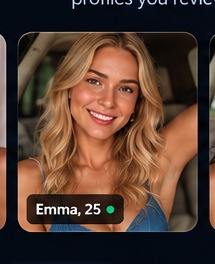 AI-generated example
A quick look at training, preferences, Automatic mode, and local reports.
Use Ask Me while AutoMates learns your choices, then unlock Automatic when your model is trained.
AutoMates uses your reviews to build a model of who you tend to like.
Your explicit rules stay explicit. The model doesn’t get to negotiate them away.
Track activity, like rate, rejection reasons and how your model is behaving over time.
The supported website and AutoMates controls live together in the Windows app.
New review batches refresh a mature model in measured increments instead of constantly replacing it.
AutoMates is designed around local processing. Your preference model, training history and app data live on your computer.
AutoMates is built so the personal data needed to run your preference model does not need to become a cloud profile about you.
Use AutoMates only with services and workflows where automation is permitted.Distance filter38%
Age filter21%
Visual model18%
Other filters23%
One straightforward monthly subscription for AutoMates for Windows. Public checkout is temporarily paused while AutoMates is in preview.
Personal preference training, all run modes, local reports and ongoing model updates.
No. AutoMates cannot control who likes you back. Its goal is to reduce the repetitive time you spend reviewing profiles and help apply your own preferences consistently.
For the best training experience, start with broad discovery settings on the site you’re using and avoid unnecessary dealbreakers in AutoMates. A larger, more varied pool gives AutoMates more examples to learn your preferences from. During training, focus on rating profiles consistently rather than trying to pre-filter everything. If the site supports a wider location or discovery area, temporarily expanding it can provide a more diverse set of training examples. You can return to your normal dating area and tighten your dealbreakers after training.
No. Sign-in happens through the website inside the AutoMates browser experience. AutoMates is designed to reuse local browser-session data rather than storing your raw password.
Automatic mode unlocks after your first 100 fully reviewed profiles. AutoMates keeps learning and refreshes the model every 100 reviews after that.
Yes. Ask Me keeps you in control: AutoMates analyzes the profile, then waits for your attraction rating and PASS or LIKE decision. Automatic is available once your model is trained.
Use AutoMates only on services and workflows where this type of automation is permitted and consistent with the applicable terms.
AutoMates for Windows. Your preferences. Your rules. Your computer.